Querying Data
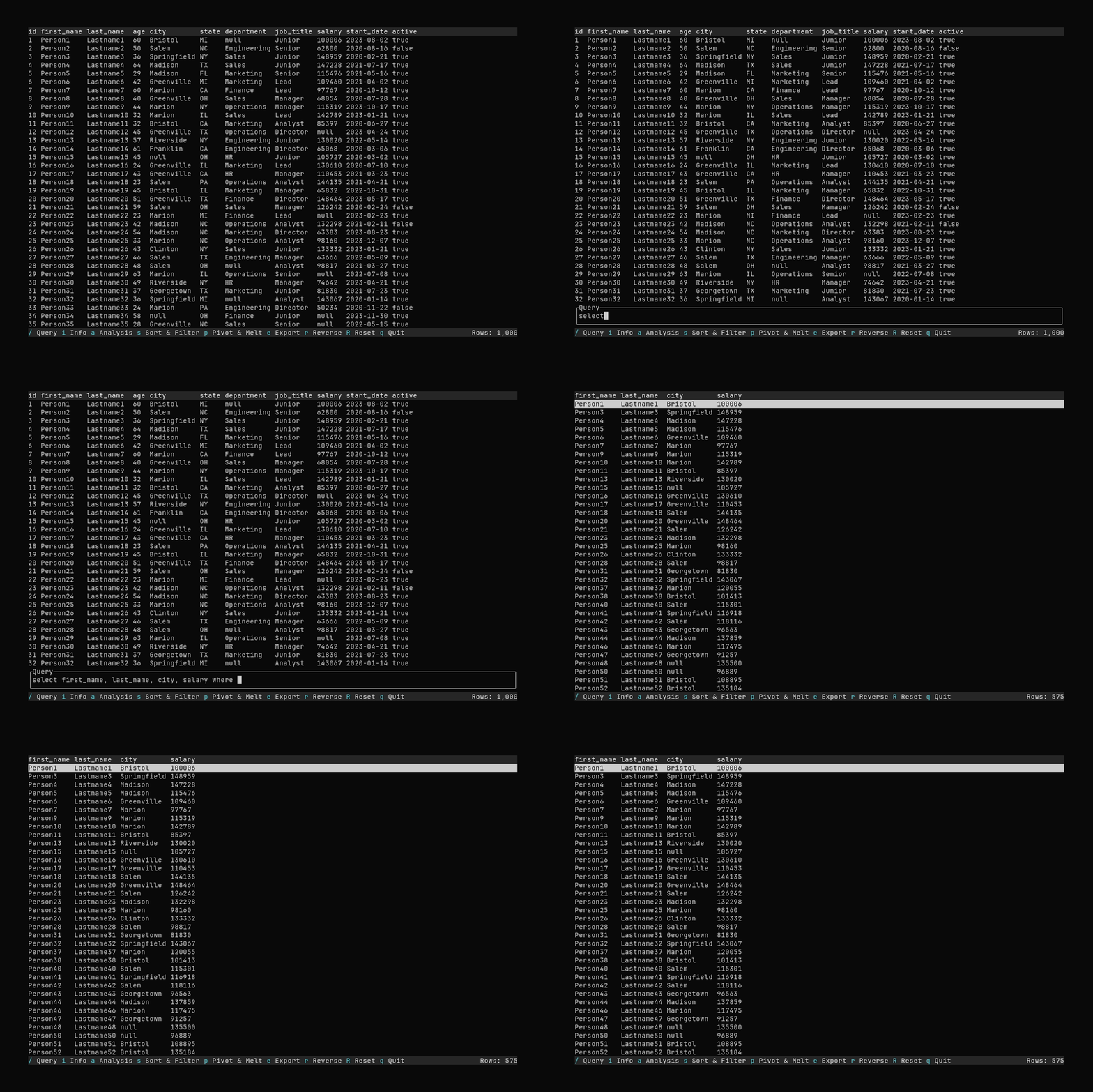
See the Query Syntax Reference for additional detail about the structure of Datui queries.
Selecting Columns
The select clause can be used to select columns:
select a, b, c
Use select alone to select all columns:
select
Rename columns using the : assignment operator (creates a column d that is the same as a):
select a, b, c, d: a
To create, or query, columns with spaces in their names, use the col["name"] syntax:
select no_spaces:col["name with spaces"]
or
select col["name with space"]: no_spaces
Filtering Results
The where clause can be used to filter results.
select where a > 10
Separate where clause expressions with , (logical and).
Get all data where a > 10 and b < 2:
select where a > 10, b < 2
Use the | to form a logical or between a bool column and a numeric:
select where some_bool | a > 10
Select a, b, and c where a > 10 and b < 2 and (d > 7 or e = 2)
select a, b, c where a > 10, b < 2, (d > 7) | (e = 2)
Calculations and Transformations
There is a simple expression language built-in to the query language using:
+, -, *, and % for arithmetic (the % is division, not modulo).
select a, b: c+d where c > 0
See the Syntax Reference for important details about the expression syntax.
Grouping and Aggregation
The by clause in the query language allows you to group your data, or aggregate it within group.
Enabling Drill-Down with Grouping
Executing a query with a by clause will result in a grouped table. This table can be drilled down into
through the UI by selecting the resultant grouped row and pressing Enter. Go back to the grouped result
by pressing Esc.
select name, city, state, salary by department
Aggregate Queries
Using the same by syntax, you can introduce an aggregation function to summarize your data.
select min_salary: min salary, avg_salary: avg salary, max_salary: max salary by department