Chart View
The chart view supports multiple chart types using tabs across the top: XY, Histogram, Box Plot, KDE, and Heatmap.
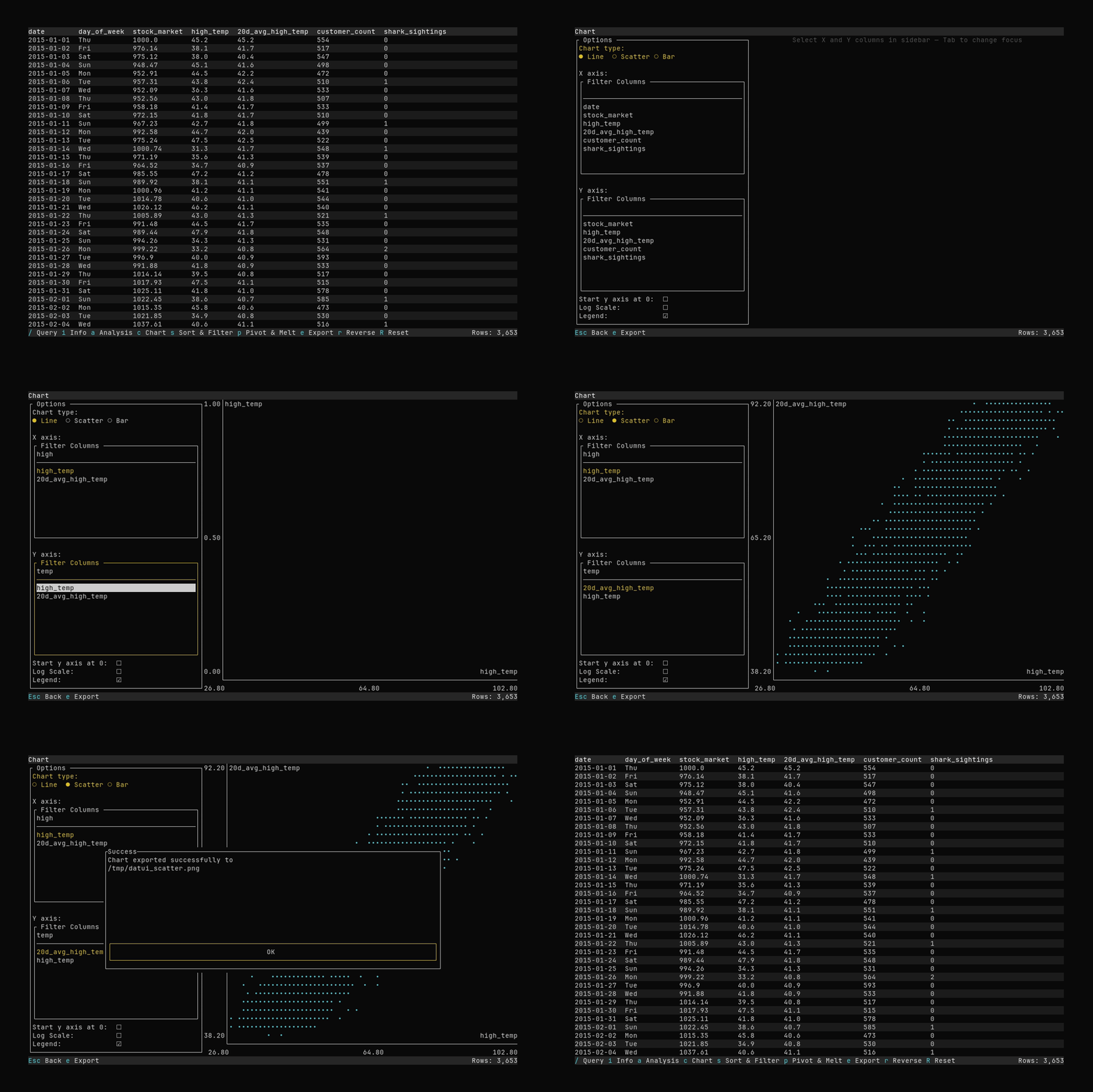
Press c from the main view to open the chart.
Controls in Chart View
- Tab bar: Switch chart type with ←/→ when the tab bar is focused.
- XY:
- Plot style: Line, Scatter, or Bar (cycle with ↑/↓ or ←/→ when focused).
- X axis: Search for and select a numeric or temporal column (single selection).
- Y axis: Search for and select one or more numeric columns. Use
Spaceto toggle columns on or off; up to seven series can be plotted at once. - Options:
- Y axis starts at 0 (defaults to data range)
- Log scale
- Show legend
- Histogram:
- Value column: Select a numeric column.
- Bins: Adjust with
+/-or ←/→ when focused.
- Box Plot:
- Value column: Select a numeric column.
- KDE:
- Value column: Select a numeric column.
- Bandwidth: Adjust with
+/-or ←/→ when focused.
- Heatmap:
- X axis / Y axis: Select numeric columns.
- Bins: Adjust with
+/-or ←/→ when focused.
Tab/Shift+Tabmove focusEscreturns to the main view
Export to File
Press e to open the chart export dialog.
- Choose format
- Enter a file path
- Press
Enteror navigate to theExportbutton to export.
If the file already exists, you will be asked to confirm overwrite.
Extensions (like
.png,.eps) are added automatically if missing.
Configuration
Series colors can be configured in theme.colors as chart_series_color_1 through chart_series_color_7. See Configuration.